System Design
•
Distributed Machine Learning System
Scaling Traditional Machine Learning using cuML
Keywords: Machine Learning, MLOps, System Design, CUDA
Why this project?
At my previous job, I saw a lot of Data Scientists struggle to iterate their machine learning models due to the amount of models that they have to worked on. They often had to wait one or two days to train their models, later to find their models might not perform well at all or even worse, failed during training.
Most of the data scientists share a pre-defined template that contains instructions to load data, preprocess, train and evaluate models. The downside of it, not many of them do not come from a computer science background, so they would often write iterative codes that slows down the entire training process and consumes a lot of compute resources. Some others would not even dare to modify the template at all, resulting in slow training and suboptimal models.
To make matters worse, the inefficient scripts would hoard GPU resources while training models, making other data scientists wait longer to get their turn. At some points, these GPUs would just sit idle.
What I Did?
I made a centralized Machine Learning system, let’s call it Distributed Machine Learning System (DMLS), that allows data scientists to submit their training jobs via REST API. This system comes with a dashboard to submit new jobs and monitor the status of existing jobs.
Users can upload their cleaned datasets and a file containing a set of model hyperparameters to train their models. Then, the system will schedule the training jobs to available GPU workers asynchronously. Once the training is on-going, users can monitor the training metrics through the dashboard. To see the detailed model training parameters and metrics, users can also check the MLflow tracking server integrated into the system.
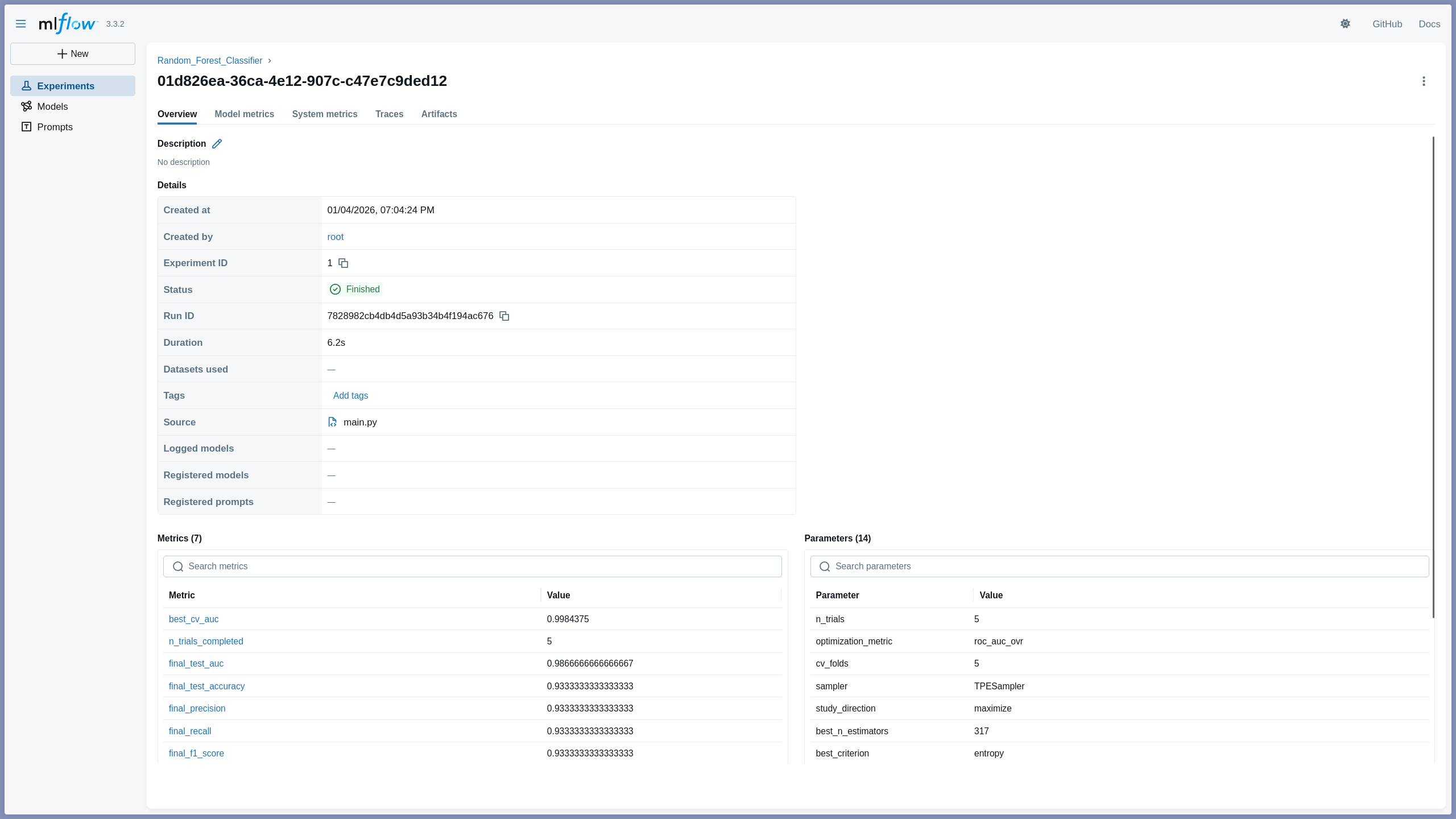
Once the training is done, users can deploy their trained models to a model serving endpoint with just one click. The deployed models can be accessed via REST API for inference.
In simple terms, this system allows users to submit, monitor, and deploy machine learning models without blocking one another.
Similar Work
Currently, DMLS uses a simple algorithm for resource asignment, targeting CPUs and GPUs with under 50% utilization. This is a deliberate simplification to my previous work, Schedulearn. In Schedulearn, I implemented resource allocation algorithm like Elastic FIFO to dynamically scale and migrate jobs based on available resources to reduce make span and increase throughput. While DMLS focuses on throughtput for traditional ML, adopting dynamic elastic scheduling mechanism is a key candidate for future optimization.
System Design
flowchart LR
    Client([User]) -->|POST /train| API[FastAPI Gateway]

    subgraph AsyncOrchestration["Async Orchestration"]
        API -->|Push Job ID| Redis[(Redis Broker)]
        Redis -->|Pull Task| Worker[[GPU Worker]]
    end

    subgraph ModelTrainingPipeline["Model Training Pipeline"]
        Worker -->|Load Data| MinIO[(MinIO / S3)]
        Worker -->|Train| cuML[RAPIDS cuML]
        cuML -->|Save Model| MinIO
    end

    Client -.->|Poll Status| API
Engineering Challenges
No Code Solution
In order to prevent users to write suboptimal code that slows down the training process, the system needs to be a no-code solution. This means that users can only upload their cleaned datasets and a set of hyperparameters to train their models. These hyperparameters would be passed into predefined training scripts to improve make span and throughput.
The “Blocking” Problem
After users submit their data and their model hyperparameters to the system, the system needs to make sure that training processes would not block the entire system. Thus, to solve this, a background task queue is needed to orchestrate the training jobs asynchronously.
Resource Assignment for Training
Determining which GPU worker to assign a training job is a trivial task at the beginning. Meaning, we can just assign jobs to any GPUs with utilization under 50%. A problem arises when two trainig models are assigned into the same GPU worker. Training two models at the same would lengthen the training time significantly of one another.
Model Deployment
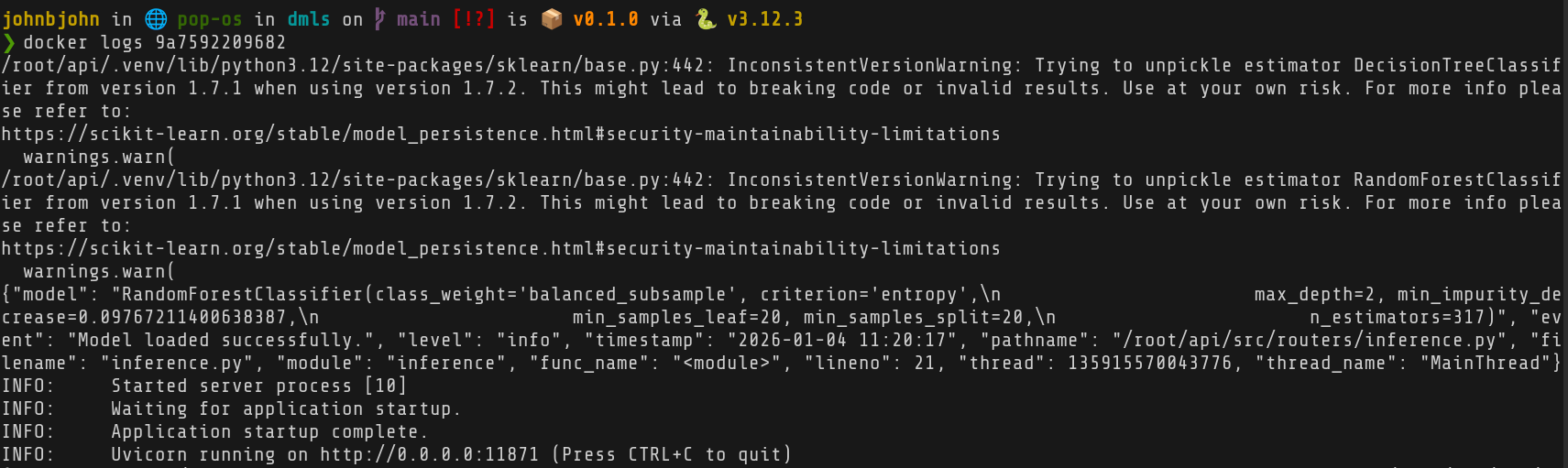
We can’t just take the best set of hyperparameters after training, create a new object of the model for deployment using those hyperparameters, and expect the model is ready for inference. That best model needs to be serialized and stored in an object storage first. When a deployment request is made, the model needs to be deserialized and loaded into memory in a specific container.
Model Degradation
Model performance degrades over time if not retrained with new data. This issue is known as data drift. To solve this, a retraining mechanism needs to be in place to retrain models with new data periodically.
Exclusive Environment
cuML only enterprise dedicated GPUs with specific CUDA and driver versions.
This means that the entire system needs to run in enterprise grade environments,
not consumer level ones.
Usage
On the dashboard, users can upload two kinds of files: a CSV file containing the cleaned dataset, and a TOML file containing the model and its set of hyperparamters.
sepal_length,sepal_width,petal_length,petal_width,species5.1,3.5,1.4,0.2,04.9,3.0,1.4,0.2,04.7,3.2,1.3,0.2,04.6,3.1,1.5,0.2,05.0,3.6,1.4,0.2,0...Why a set of hyperparameters? Because this system uses hyperparameter optimization to find the best set of hyperparameters for the given model. This way, users do not have to manually try different combinations of hyperparameters, saving them a lot of time.
model = "random-forest-classifier"
n_trials = 5
[columns]features = [ "sepal_length", "sepal_width", "petal_length", "petal_width"]target = "species"
[n_estimators]min = 50max = 500
[criterion]values = ["gini", "entropy", "log_loss"]... 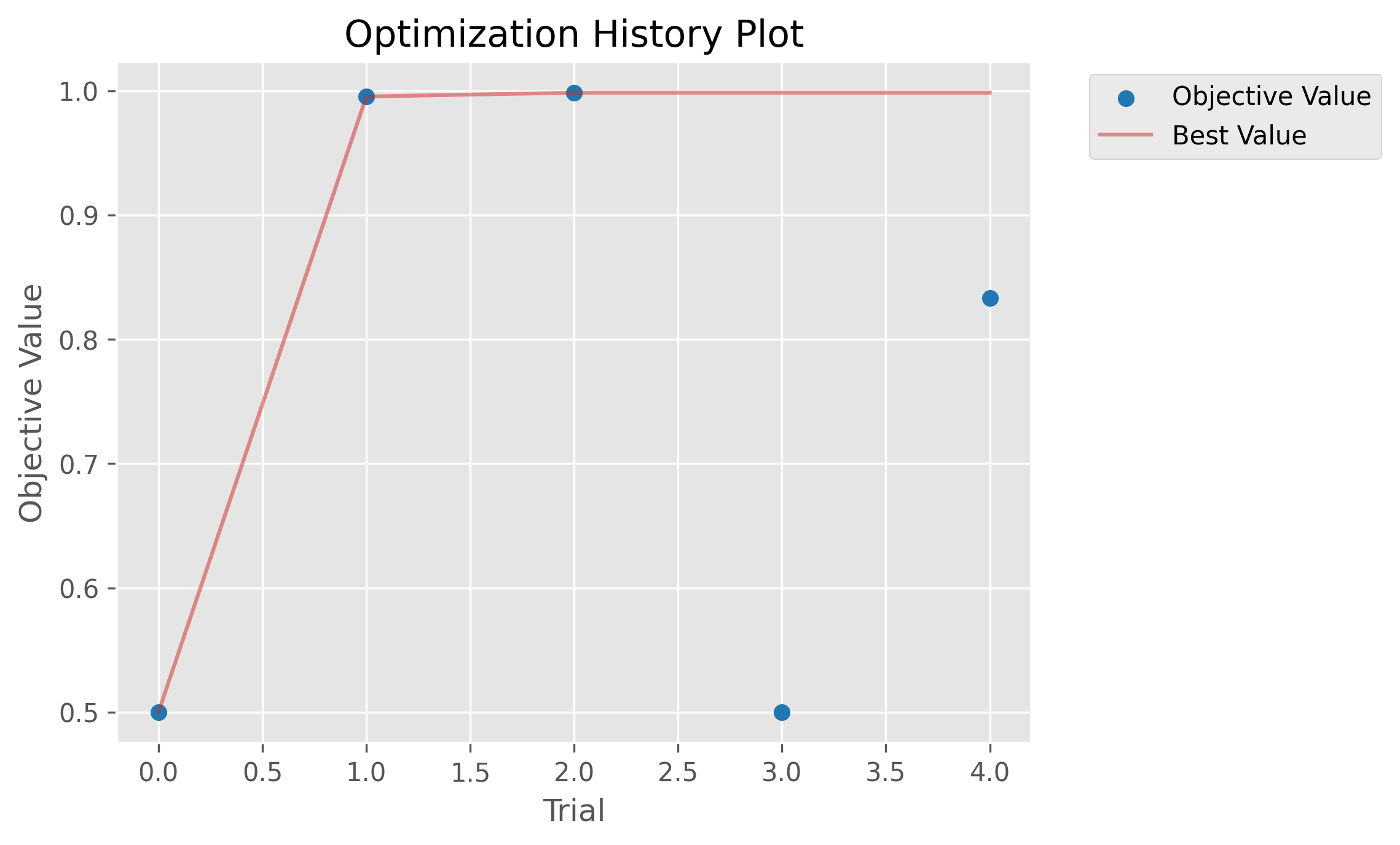
Once training completes, the system would store the best hyperparameters and the trained model into an S3-compatible object storage.
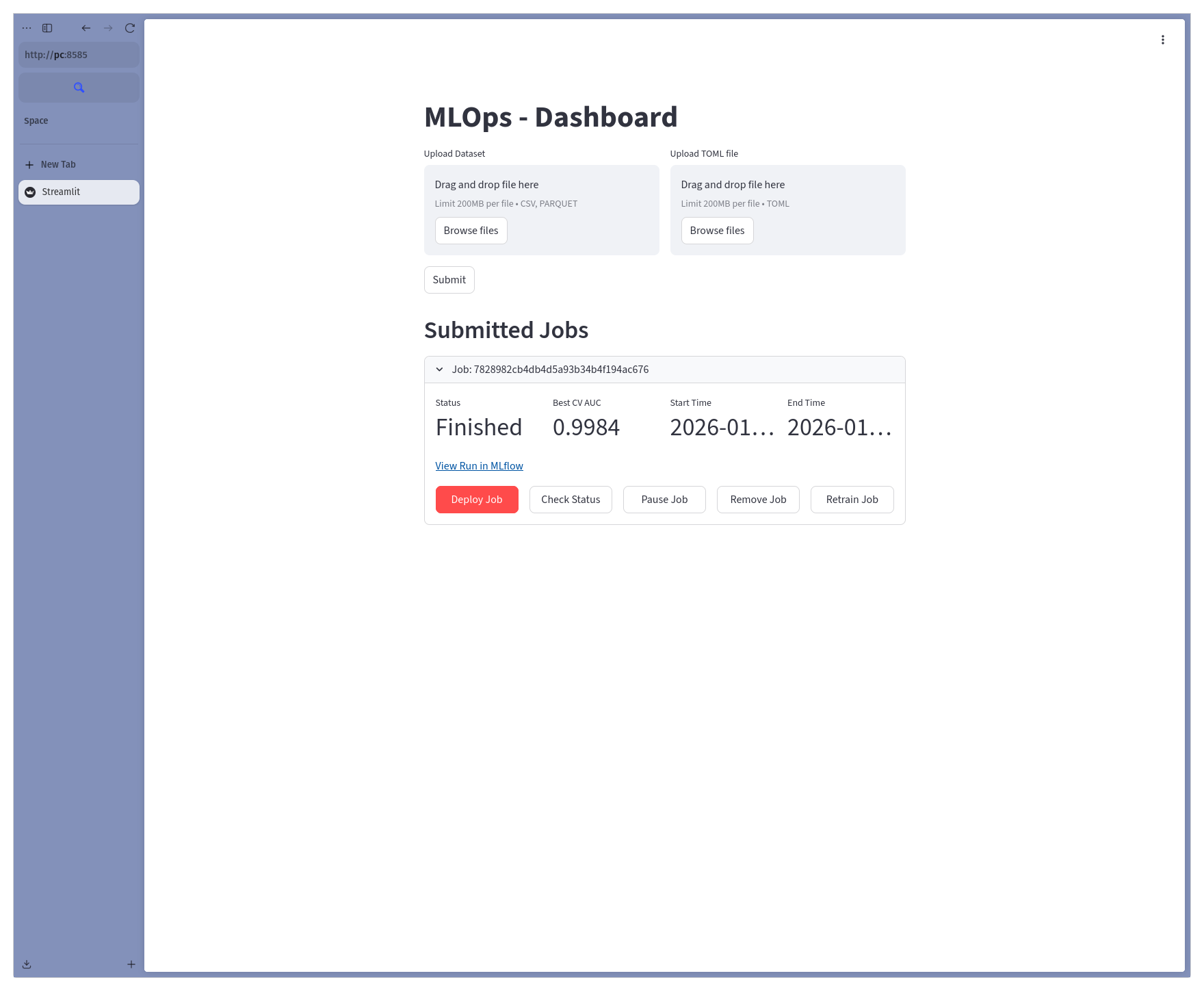
Users then can click the “Deploy job” button to deploy the trained model to a model serving endpoint.

Conclusion
This proof-of-concept system successfully demonstrates how to speed up traditional machine learning model training using GPU acceleration.
To make this system running, enterprise-grade hardware and software environments are required
due to the limitations of cuML. However, with the right resources, this system can
greatly improve the productivity of data scientists and machine learning engineers
by reducing the time spent on model training and hyperparameter tuning.
Future Works
- Enable data drifts monitoring between the training data and the new data.
- Improve resource allocation strategy using more advanced scheduling algorithms.
- Improve queue management system to improve make span and throughput.
- Allow users to input hyperparameter configuration on the dashboard directly instead of uploading a TOML file.