Agentic AI
•
Sage
Local-first Knowledge Management with Harness System
What is Sage?
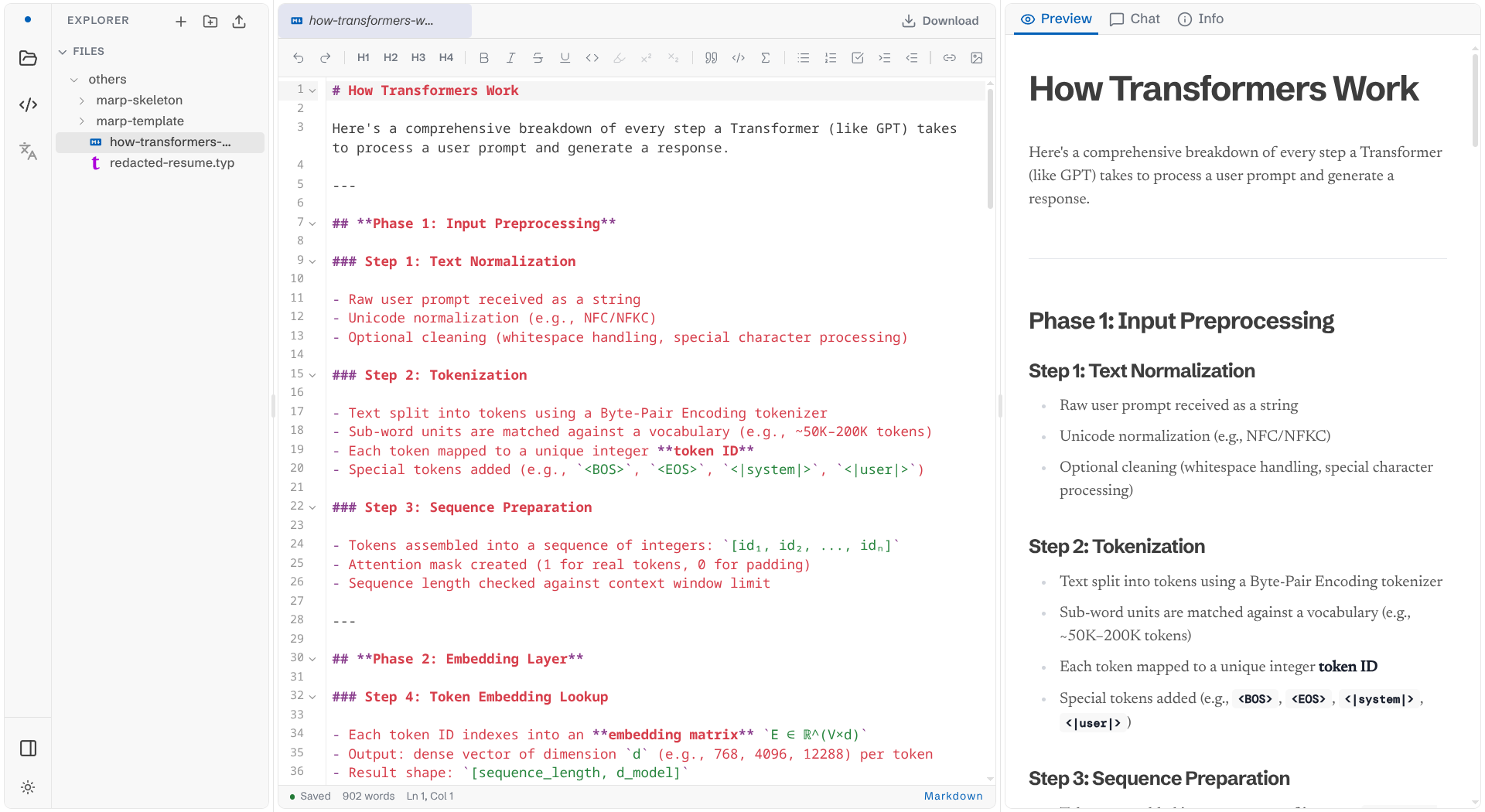
Sage is a local-first personal knowledge management with a built-in editor that supports Markdown, Typst and Marp files.
Typst is a markup language that renders much faster than Latex, and it is designed to write scientific text and mathematical formulas like Latex.
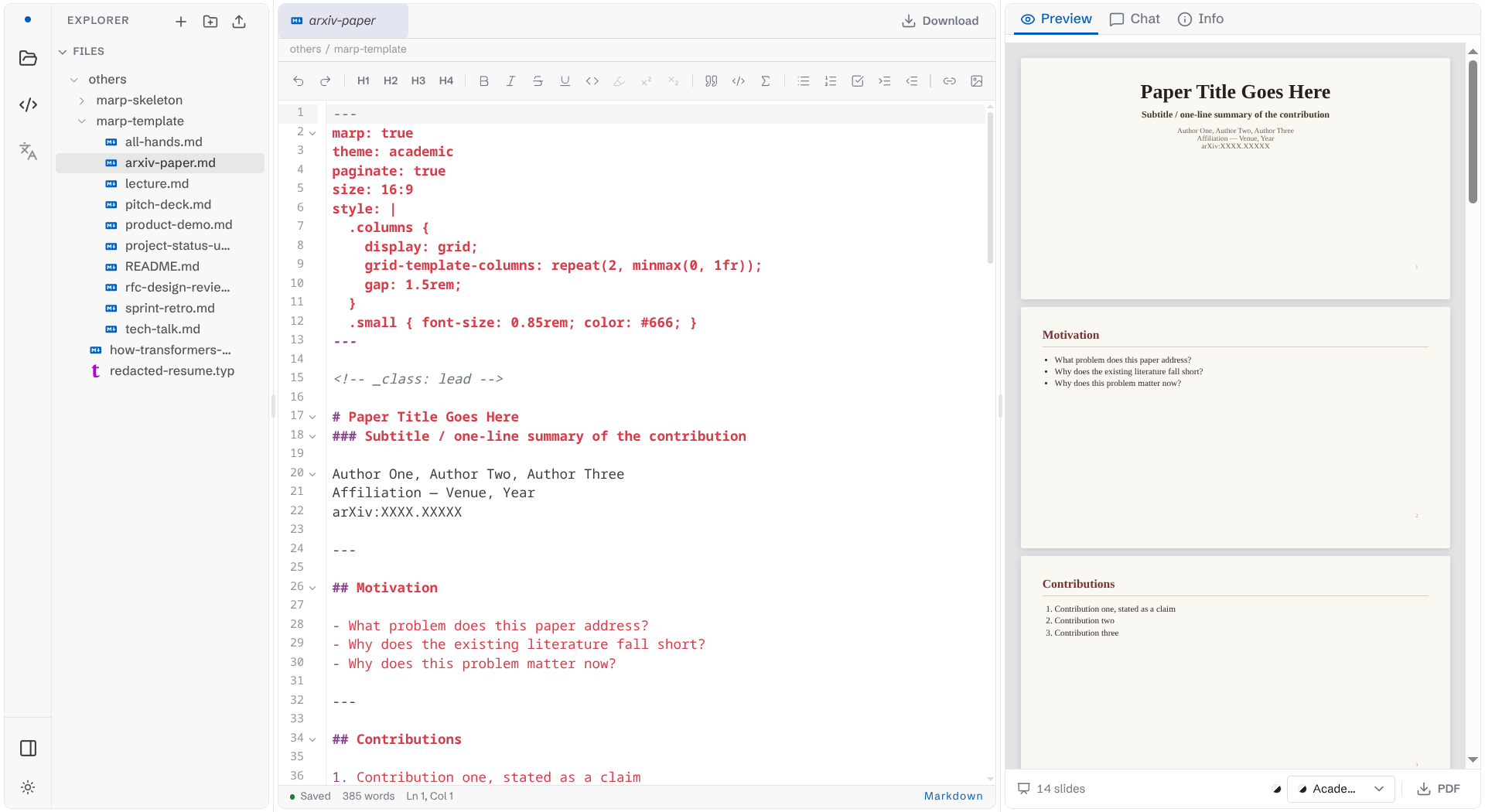
Marp is a plugin that converts Markdown files into presentation slides.
To create one, one shold include metadata marp: true in a Markdown file
---marp: true---
... 
Why is Sage?
I want to have my notes to reside in my server without any third parties reading and training upon my data for their LLMs or selling my data for ads companies.
Not only that, I also want the editor to allow me to take notes and make presentations by just writing Markdown.
Lastly, I want to be able to search my notes by using agents that could iteratively list files in a directory and fetch the content within a certain file.
Typst is just an additional feature later thought of adding after struggling with Latex while writing my thesis paper as the number of texts increase dramatically.
How does Sage work?
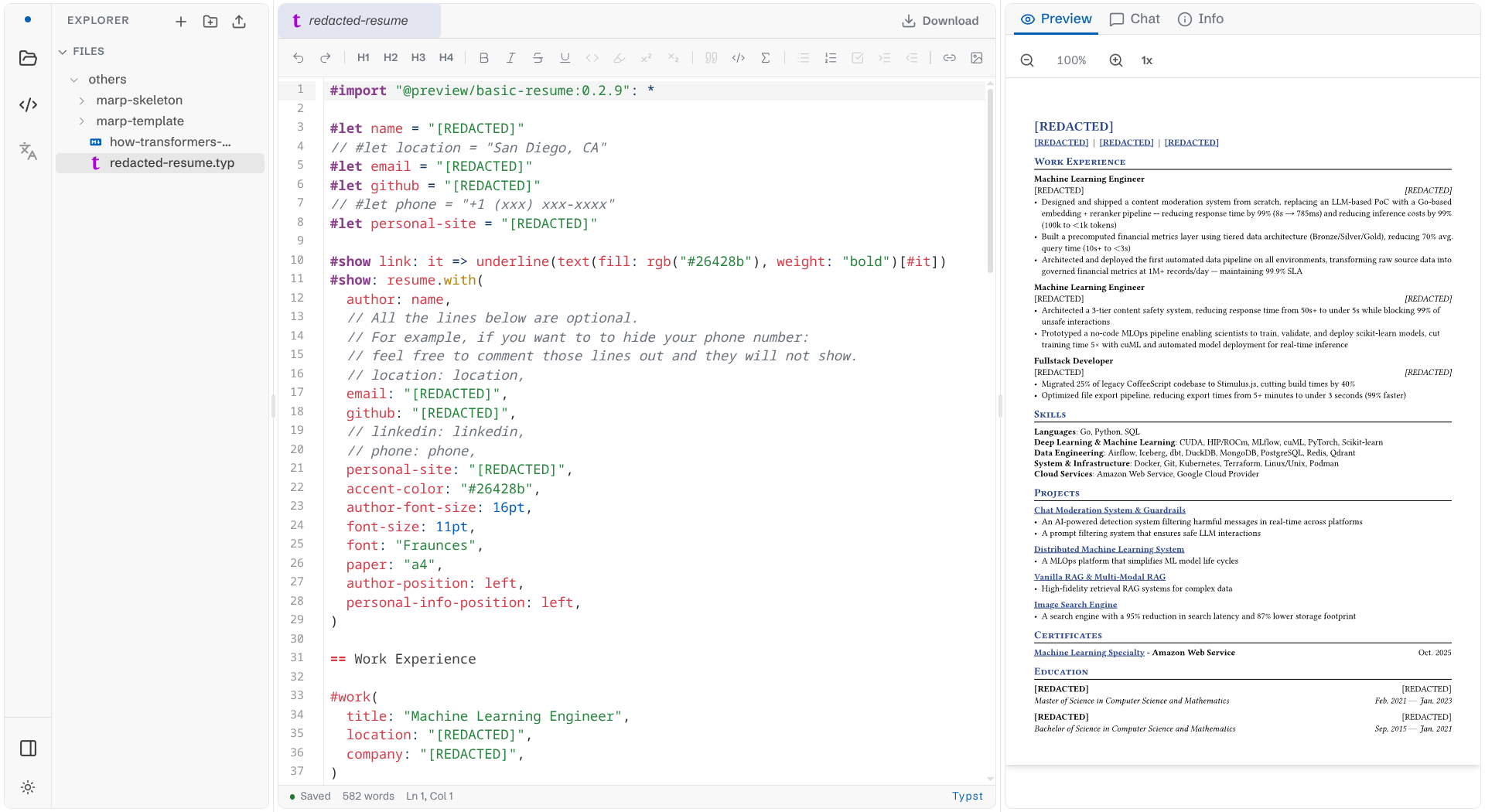
In the left hand side, there is a file explorer that users can use to interact with files and directories that exist in the system. Users can create two kinds of files: Markdown and typst.
In the middle, there is the editor where users can modify the content of an opened file.
At the right hand side, there is the preview section where users can see rendered results in real time.
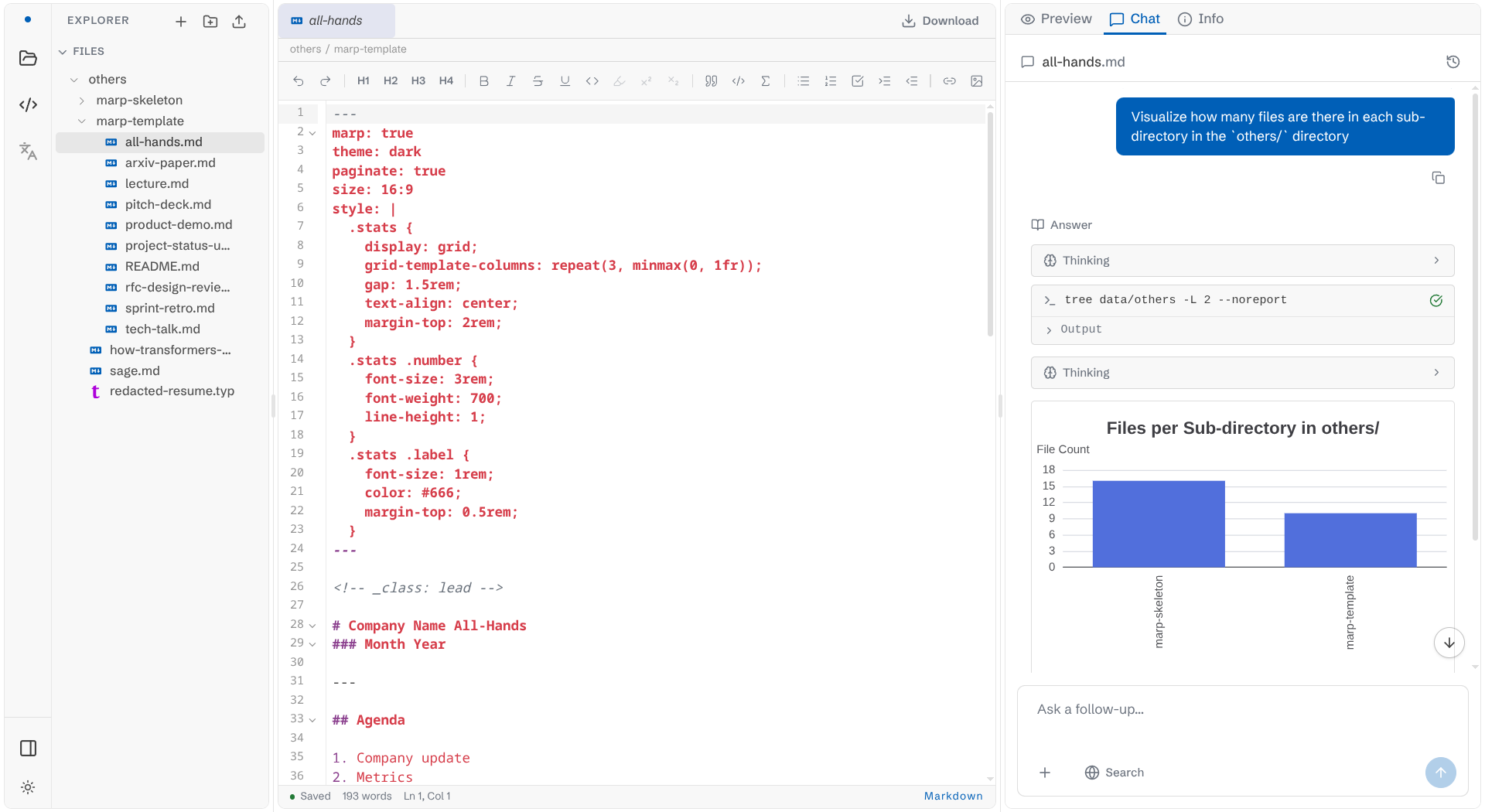
Users can also click on the Chat tab to interact with the agent to search relevant information. In the figure above, the agent listed out the files within a directory, calculate how many files in each sub-directory, and visualize them on the UI.
Conclusion
Privacy first
Local editor that respects privacy. Your notes are yours, and they stay in the system.
Agent with Tool Calls
There is a built-in agent that capable of accessing notes and finding keywords as the number of notes grow significantly. These agents are equipped with tool calls to interact with the notes e.g. listing files in a dir, fetching file content, visualize numbers and display them on the Chat component, and so on.
Convenience
No need to copy notes from one place and paste them to another. Context switching depletes our energy.
Version Control
User agents can be versioned control, a way to keep track of changes in notes.
Future Works
- Include more tool calls, one of them: search engine
- Improve agent workflows with Loop engineering