MLOps
•
Strata
Data & MLOps Platform
What is Strata?
Strata is a Data & MLOps platform that I made for myself to help me automate data preprocessing and data analysis environment creation.
Why is Strata?
Scattered Analysis Environments
Whenever I want to make experiments, I would:
- Create a new folder
- Initiate
uvin it - Install packages
After a few months, I would end up with ten or more directories containing experimentations and analysis workflows. Having many .venv dirs would fill up hard drives quite quickly.
In order to avoid having too many .venv dirs, I would containerize
experimentations and analysis workflows so that I can remove them
anytime I do not need them. However, I still have to access my remote
server and deploy the Python notebook instances. Sometimes you have to
fight version clashes.
This sequence of actions is quite tedious and has too much frictions in the long run.
Avoiding Vendor Lock-ins
A lot of analysis/ML/DL packages are developed to work seamlessly with Nvidia GPUs. Nvidia is indeed the de-facto GPU vendor for these types of work. However, not everyone is willing to spend exorbitant amount of money for GPUs.
There are other GPU vendors: AMD and Intel.
Working with AMD GPUs
If users have AMD GPUs and want to do ML/DL related works, they would have a hard time to setup/containerize their environemnts. One should be comfortable with Linux systems. Sadly, everyone is scared to tinker them.
Installing ROCm/HIP on host systems is not quite hard on Ubuntu systems. The nightmare starts when containerizing environemnts that require AMD GPUs.
I used to have hard time setting up ROCm on my Linux machines. After installing ROCm, I didn’t want to any analysis anymore.
How does Strata work?
Workspace Creation
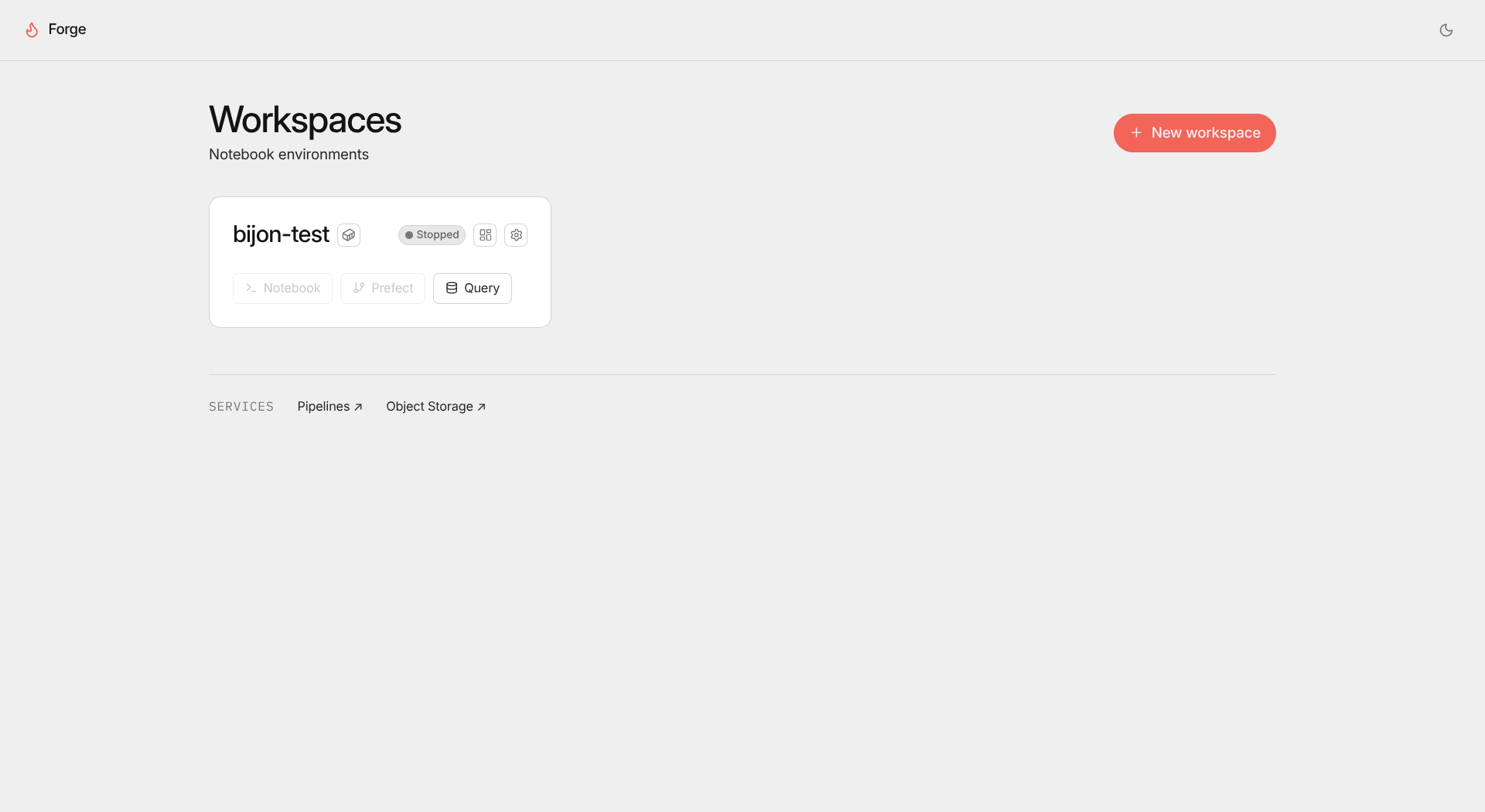
In the Workspaces page, users can see which workspaces are created (regardless of their statuses). This is the place where users create their own workspaces.
Workspace Overview
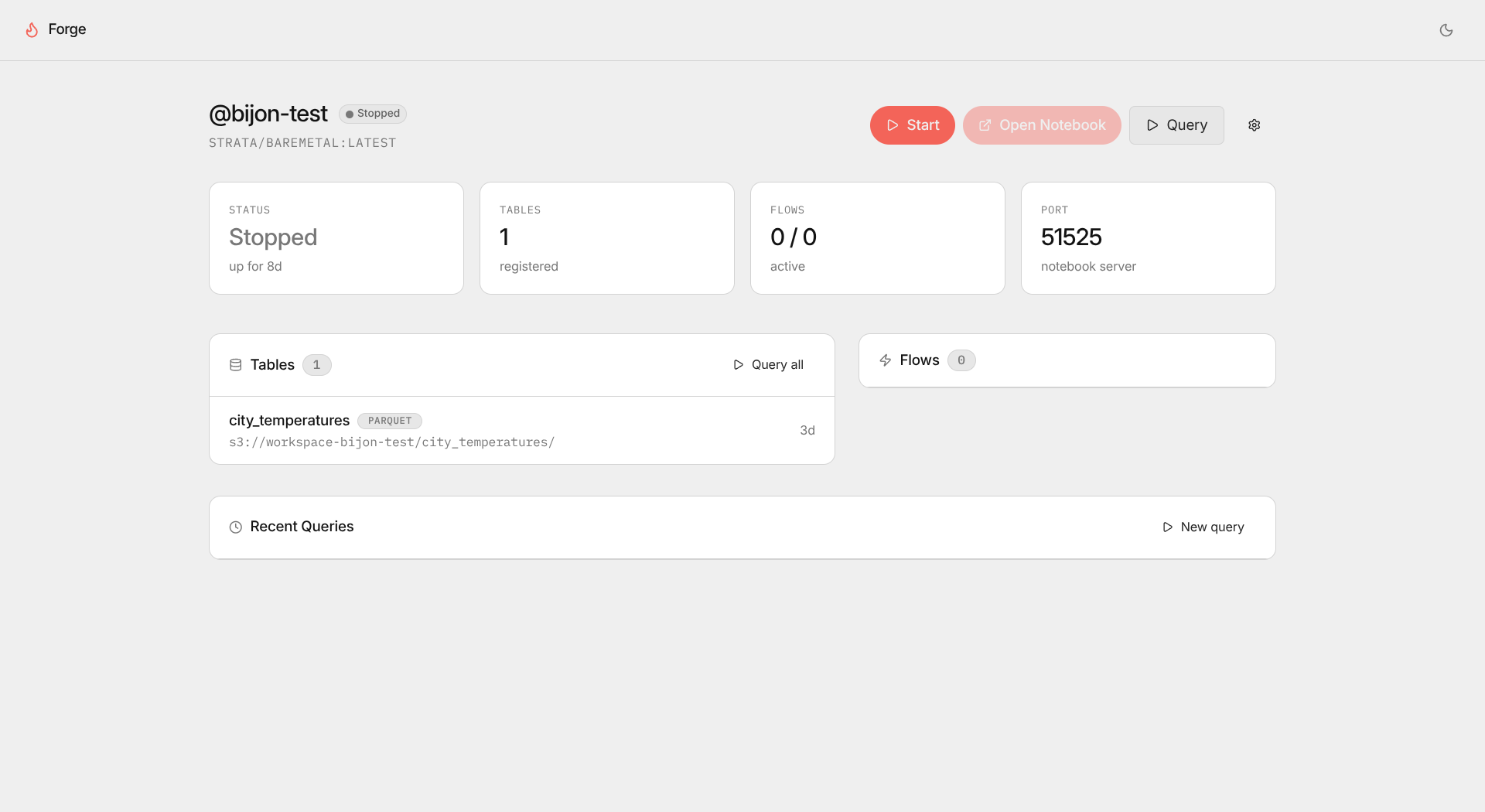
This page displays the current status of the user workspace: running, paused, or stopped. It also shows how many CSV files that this current user has, which port the workspace running, and data pipelines that one has.
If users want to work, they can press “Start” to get the container running and press “Open Notebook”. They will be redirected to the notebook UI.
Python Notebook
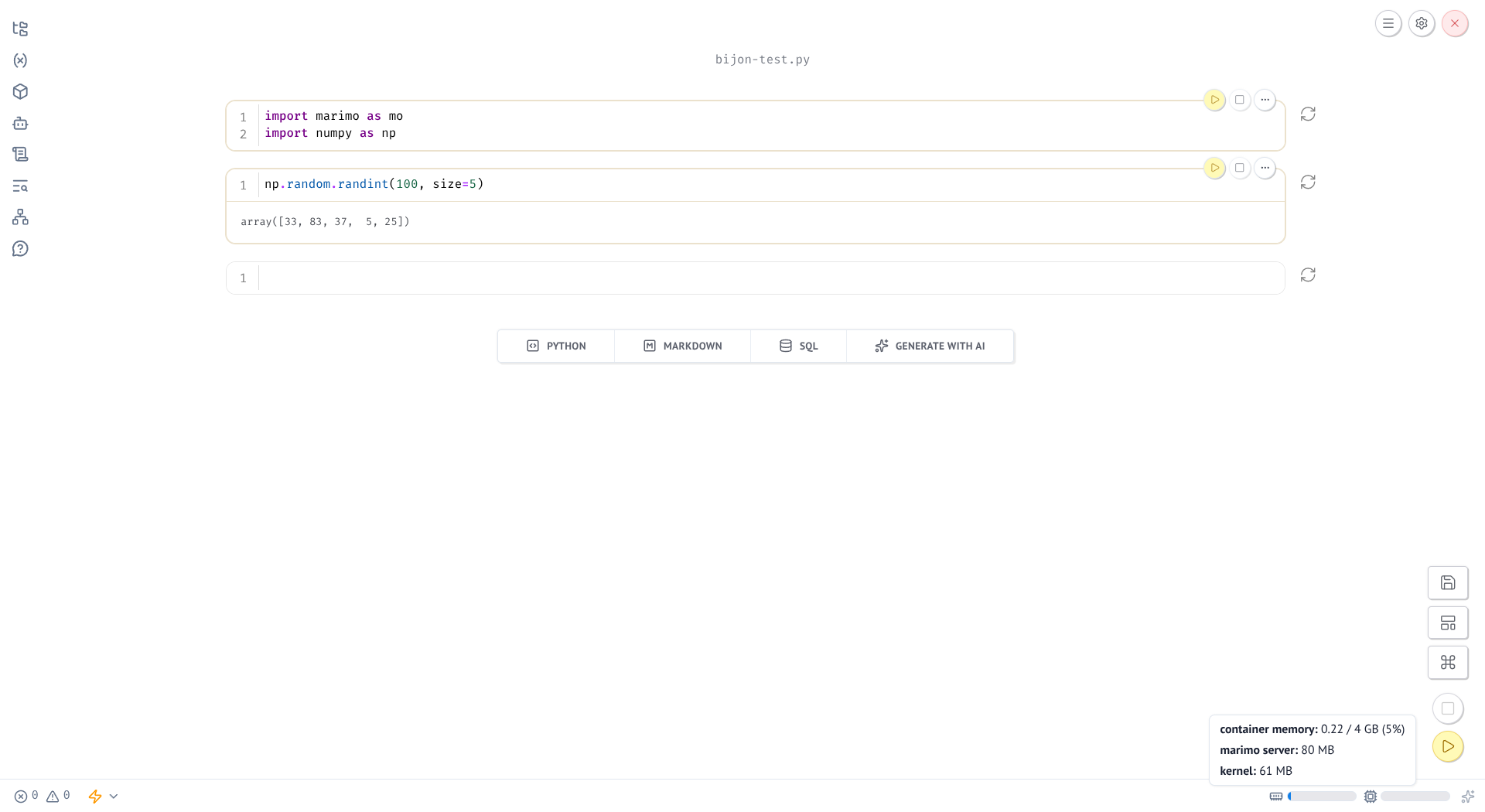
In this platform, Marimo is the open-source notebook UI I chose for this platform. The reason is created notebooks are stored as Python files, not some texts wrapped in JSONs.
Most importantly, Marimo has interactive elements, meaning it has built-in sliders, dropdowns so that users can see their experiments behaves in real time.
Query User Data
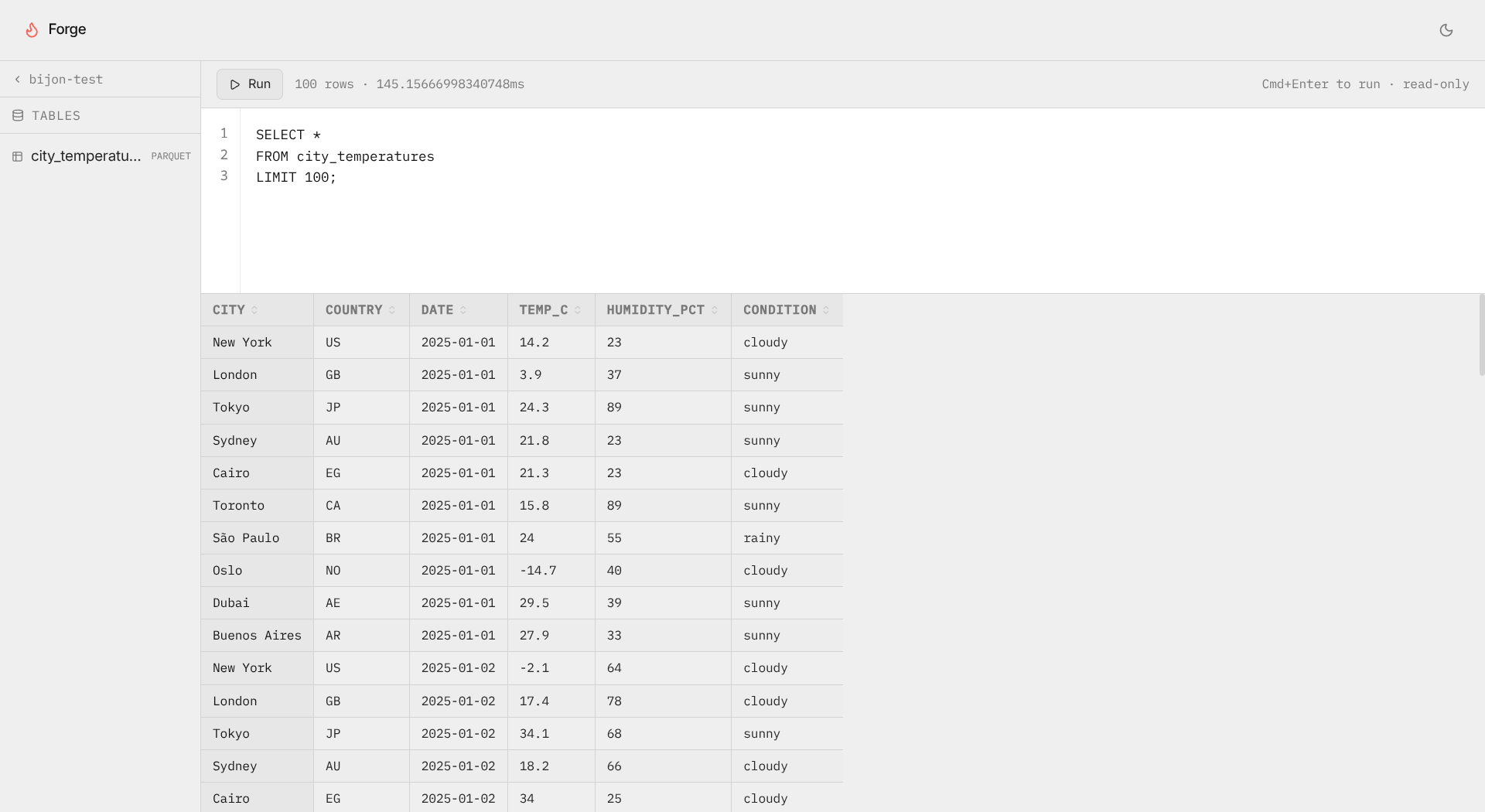
In this page, users are capable of querying CSV files that uploaded by users. When users finish writing their queries, those queries would be received by the backend system and run against the CSV files stored in object storage instances.
Resource Setting
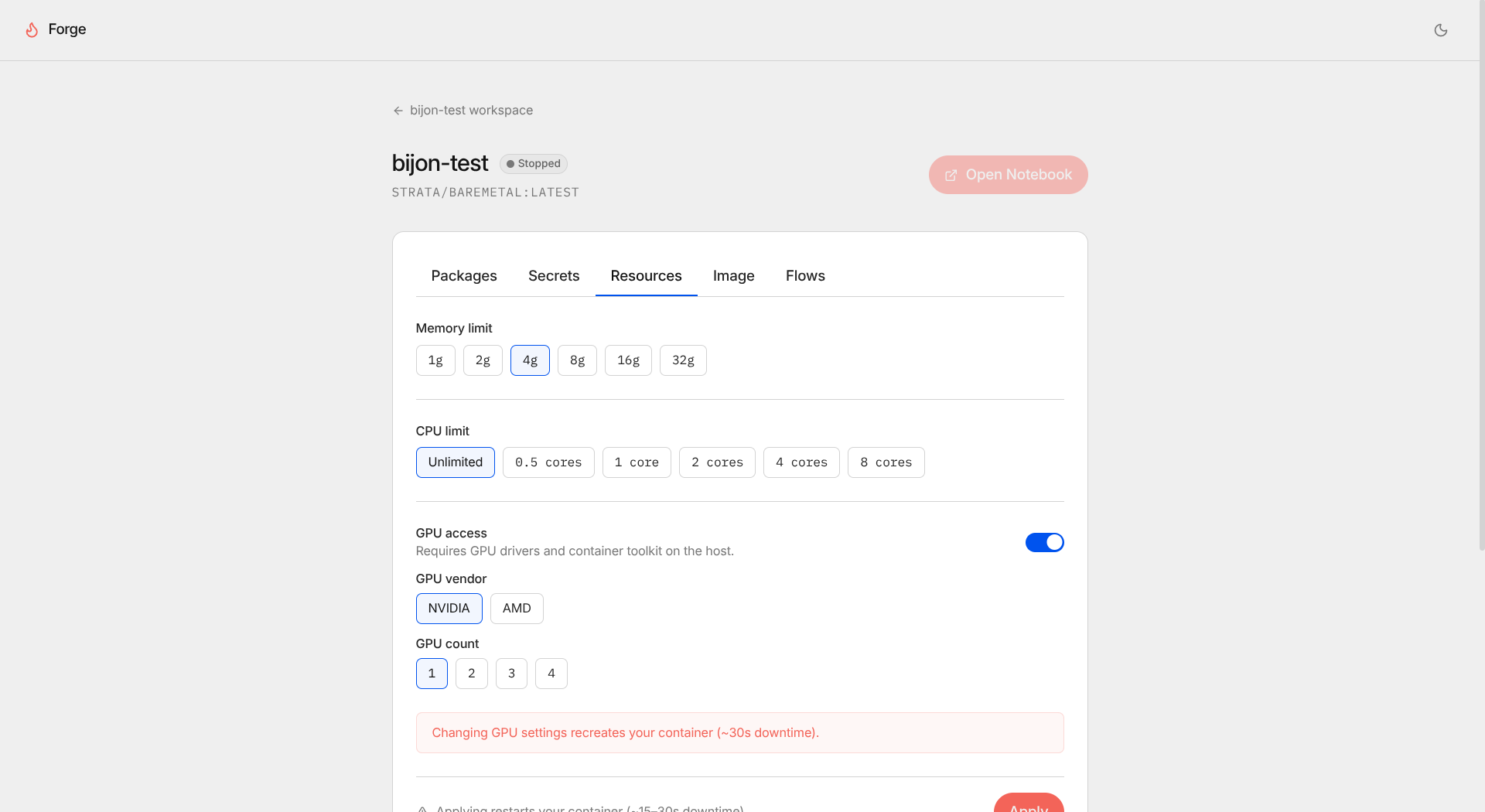
In the workspace resource setting page, users can determine how much RAM and CPU cores, as well as GPU brand and numbers that they want to use in order to facilitate their data analysis workflows.
So far, users can choose between two GPU vendors: Nvidia and AMD.
Workspace Image
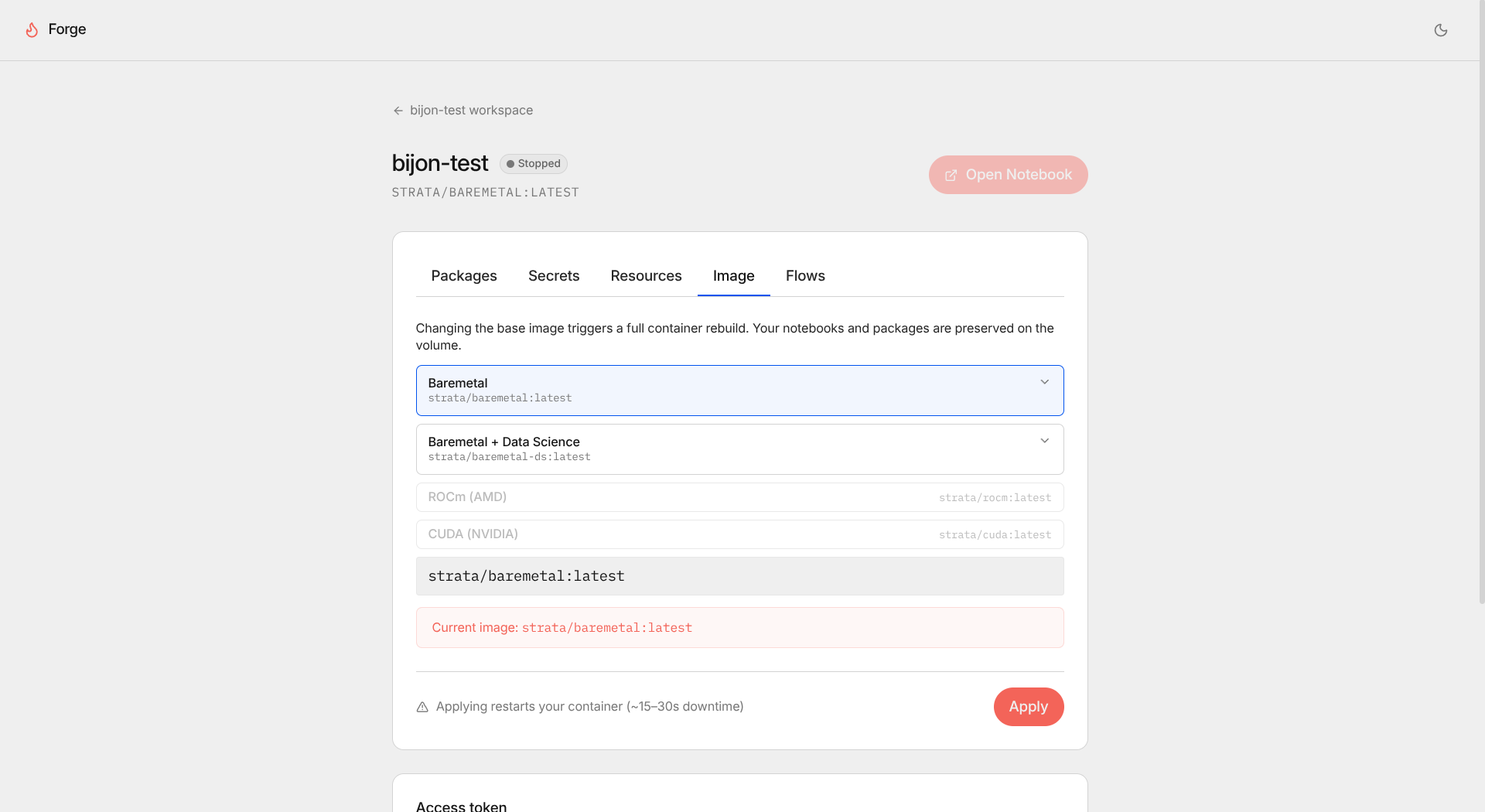
Users can also determine which container image they wish to use to support their analysis workflows. So far, there are 4 pre-built container images that can support typical analysis workflows.
Conclusion
Organized Projects
By having projects in one platform, users would not have their projects scattered all around different places. All their works and their data are stored in one place.
Support Multiple GPU Vendors
Users without Nvidia GPUs would not have to worry about setting up environemnts since it’s taken care of. They can continue working and speed up their workflows with their AMD or Intel GPUs.
Faster Iterations
Since the environment creation is already automated, users can focus on data analysis, model training and performance, not doing unrelated tasks such as building envs and troubleshooting hardware issues.
Future Works
- Support data pipeline creations and automations
- Support Intel GPUs
- Allow users to define their own analysis environemnts
- Support AutoML
- Support ML model deployments as API endpoints
- Support ML model observability and retraining
- Mitigate security risks
- Data and model versioning
- What is Strata?
- Why is Strata?
- Scattered Analysis Environments
- Avoiding Vendor Lock-ins
- Working with AMD GPUs
- How does Strata work?
- Workspace Creation
- Workspace Overview
- Python Notebook
- Query User Data
- Resource Setting
- Workspace Image
- Conclusion
- Organized Projects
- Support Multiple GPU Vendors
- Faster Iterations
- Future Works